Connect your shop to Torob
20 Nov 20262 min read4 views
Torob is Iran's price-comparison search: shoppers compare a product across shops and click through. To list your products, Torob reads them from your site. On Sima that is one switch, with no plugin or spreadsheet.
Switch it on
- In the site admin open the general settings and the «Shop» tab.
- Under «Torob integration» switch on «Product feed for Torob» and save.
- Give Torob's support
https://your-domain/wp-json/wcpe/v1/products, the address of Torob's official WooCommerce plugin.
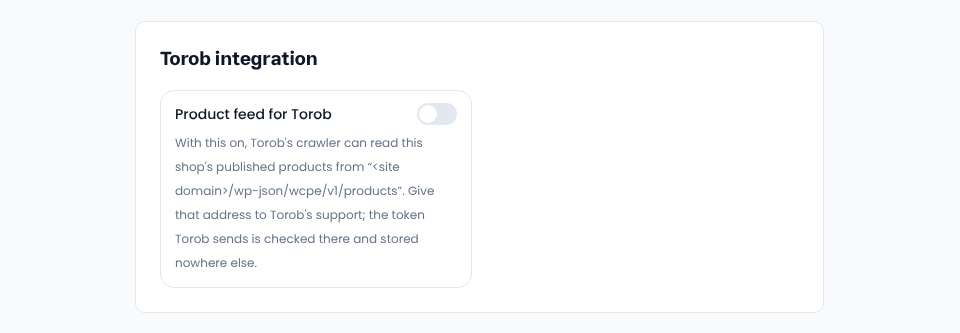
If you were on Torob from WordPress and moved to Sima, the feed address on your domain stays the same; just switch this on.
What Torob sees
- Published products only; drafts never.
- Each product at its cheapest purchasable variant, as its card shows; variants as their own rows when Torob asks.
- During a flash sale, today's price and the old one.
- Stock, page and image links, warranty and English name from the product's attributes.
- Prices in Toman.
Security
Until you switch it on, the address doesn't exist. After that it answers only a valid Torob token minted for your own domain, and the token is stored nowhere.
Comments
Sign in to leave a comment.
Sign inLoading…