SMS, email, Telegram and Bale: your site's automatic messages and bulk sends
Your site sends messages by itself in many moments: a sign-in code, an order confirmation, a new-order alert to your staff and dozens more. You decide which way each message goes (in-app message, SMS, email, browser notification or a messenger) and what it says.
1. Email and SMS
Under Settings → General settings → Messaging, look at Email and SMS. If you leave the sender name and address empty, the site's own name and mailbox are used. A sender address must be on one of your verified domains or be the site's own mailbox.
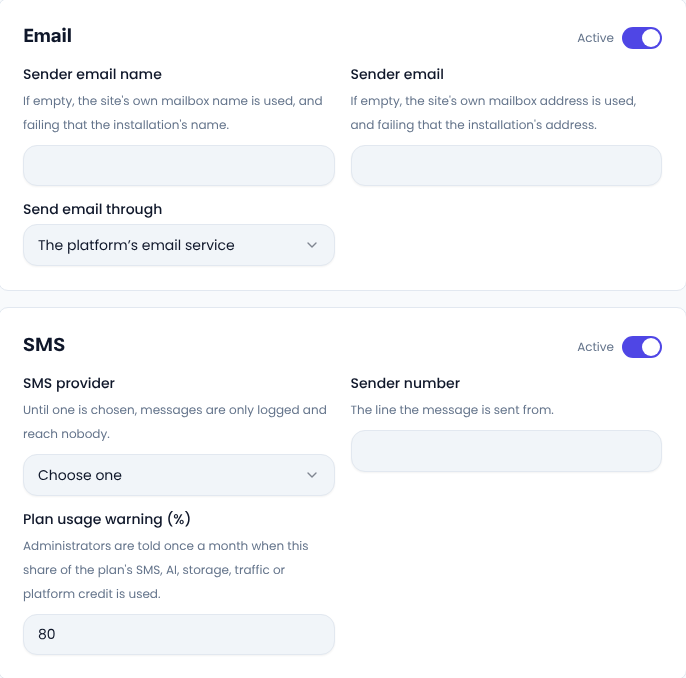
For SMS, choose a provider: the platform's SMS service, or your own account with a provider such as Kavenegar, Melipayamak, SMS.ir, IPPanel or Ghasedak. With your own account you enter its key and sender number, and you pay that provider directly. If your provider has a verification template, enter it too, so sign-in codes go out through the provider's own template.
The platform's SMS service works with nothing to set up. It uses your plan's SMS allowance and then your account credit, and a text the provider refuses costs nothing. This line carries service messages only, such as sign-in codes and order updates; for bulk and promotional texts, connect your own SMS provider. Plan usage warning (%) tells your administrators when that share of the plan has been used.
2. A template for every event
Under Settings → Message templates, events are grouped: Marketing, System, Admins, Users and others. Click an event to open it. You can switch it off, tick the ways it is sent, change the subject and text of each, and personalise it with variables such as the order number and the buyer's name. For an event meant for staff, you also choose whether it reaches every administrator or only some.
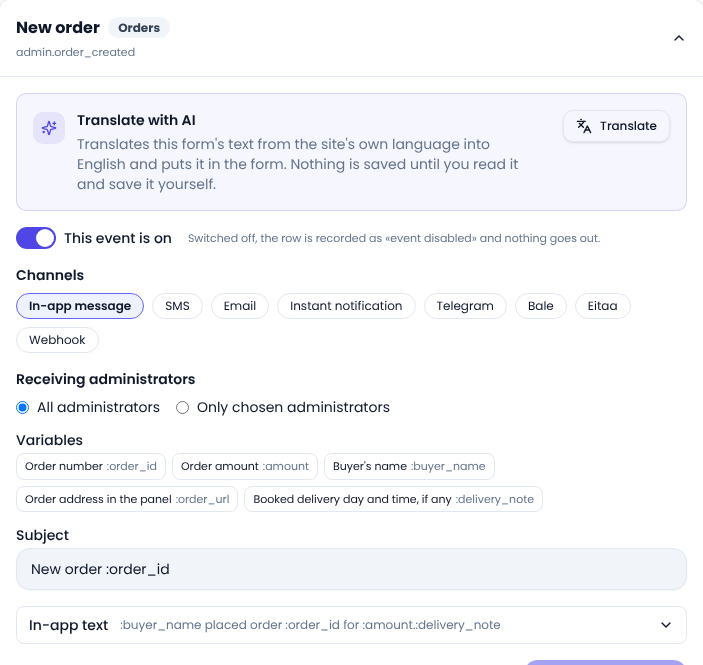
At the top of each group, the All events in this group row switches one channel on or off for every event in the group at once and leaves the other channels alone. If your site is bilingual, write the English text in the English panel; each person gets the message in their own language.
3. Order alerts in Telegram, Bale and Eitaa
Want new orders, new tickets or payout requests to land in your team's group? On the same Messaging tab, enter the bot token and the group or channel ID for Telegram, Bale or Eitaa. Add the bot to the group first. Then tick that messenger in the templates of the Admins group, one by one or all at once with the group row.
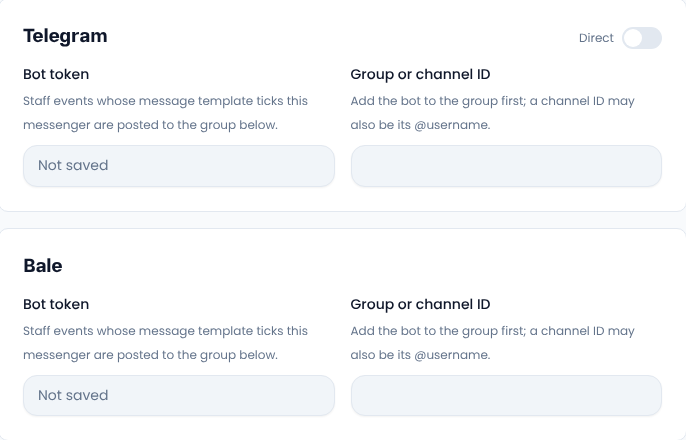
These messengers carry staff alerts only, never messages to customers. If you run another system, the Webhook sends the same alerts to your address as signed JSON.
4. Bulk sends
Under People → Users, click Send announcement. It goes to the rows you ticked; if none are ticked, to everyone your filters match; and otherwise to all users. Write the title and the text, and use {name} or {first_name} to put each person's name in it.
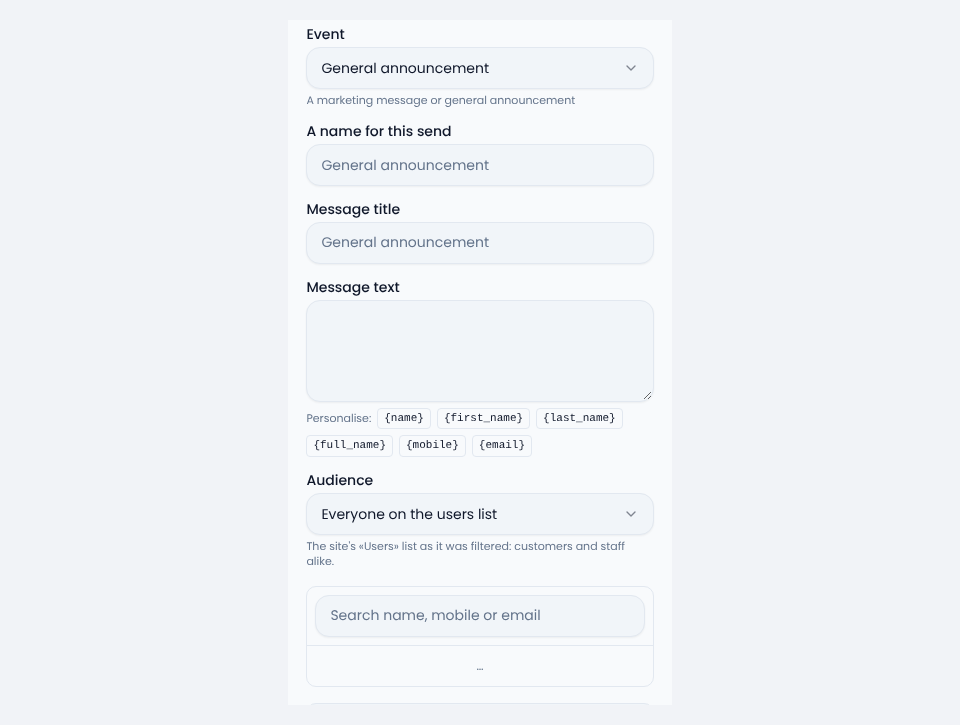
Before anything goes out, Sima tells you how many people it reaches, how many of them have a mobile and how many an email, and asks you to confirm.
5. The log of messages sent
Under Settings → Messages sent, every message that went out, sign-in codes included, is listed with its text, recipient and status (sent, failed, queued, rejected or cancelled). If a customer says a text never arrived, look here first; each message's status and reason are there.
Common questions
Why are texts only logged and never delivered?
No SMS provider is chosen yet, or the SMS credit is used up. Check the status in Messages sent.
Can I switch an event off completely?
Yes, with the This event is on switch in that event's template.
Comments
Sign in to leave a comment.
Sign inLoading…