Your site as an app (PWA): install and notifications
Every Sima site is also an app, the kind called a PWA: customers install it from the browser onto their home screen, it opens with your name and icon, and it can receive notifications. No separate app to build or publish.
What it includes
- Your name and icon, made from your logo; with no logo, a square of your primary colour (logo and brand colours).
- The browser bar in your primary colour.
- A clean offline page instead of a browser error.
- It opens on your front page and is always current, because it is the site.
Nothing to set up: it is on for every site and plan.
How customers install it
On Android, Chrome offers it. Your customers' account home and your admin dashboard also show an install button under «Your to-dos», which opens the browser's install dialog and hides once installed.
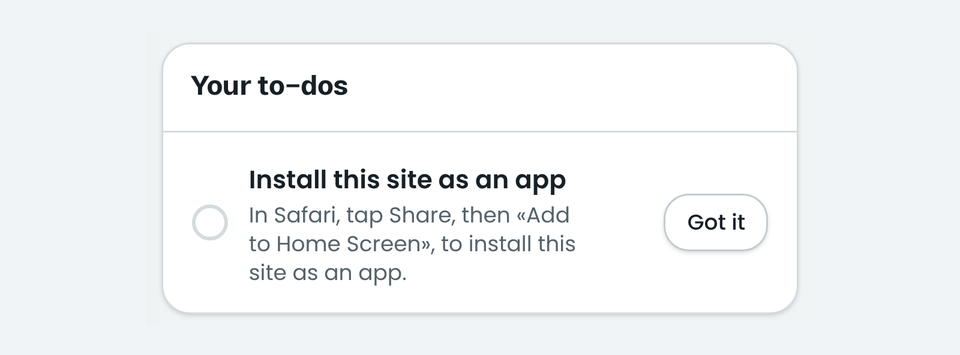
On iPhone, Safari never offers, so the to-do shows the steps: tap Share, then «Add to Home Screen». «Got it» puts it away for that browser.
Browser notifications
In the account, the browser notifications card has a button to turn them on; permission is asked only after it is pressed. Then site news, like an order's status, reaches that device even when the site is closed.
- On iPhone, notifications work only from the home-screen app.
- If permission was denied, the card points to the browser settings.
PWA or a store app?
For most businesses a PWA is enough: no second app to build or update, and every change shows at once. See web.dev on PWAs.
Comments
Sign in to leave a comment.
Sign inLoading…