Add eNamad and Samandehi seals to your site
Iran's e-trust seal (eNamad) is close to required for an online shop: payment gateways usually ask for it and buyers look for it. Samandehi is the registration for content and media sites. The business owner gets both, since they are issued in your name; Sima gives you the place to enter and show them.
Step 1: get the code from the issuer
- eNamad: sign up at enamad.ir and request a seal for your site's domain.
- Samandehi: register the site at samandehi.ir.
Both are issued for a domain, so connect your own domain first (Connect a domain); the temporary Sima address won't do. Once approved, the issuer gives you a snippet of code that draws the seal.
Step 2: paste it in the site admin
- In the site admin open «Settings → Seals and licences».
- Paste the eNamad code in «Electronic trust seal script», and Samandehi's in its own box.
- Press «Save changes».
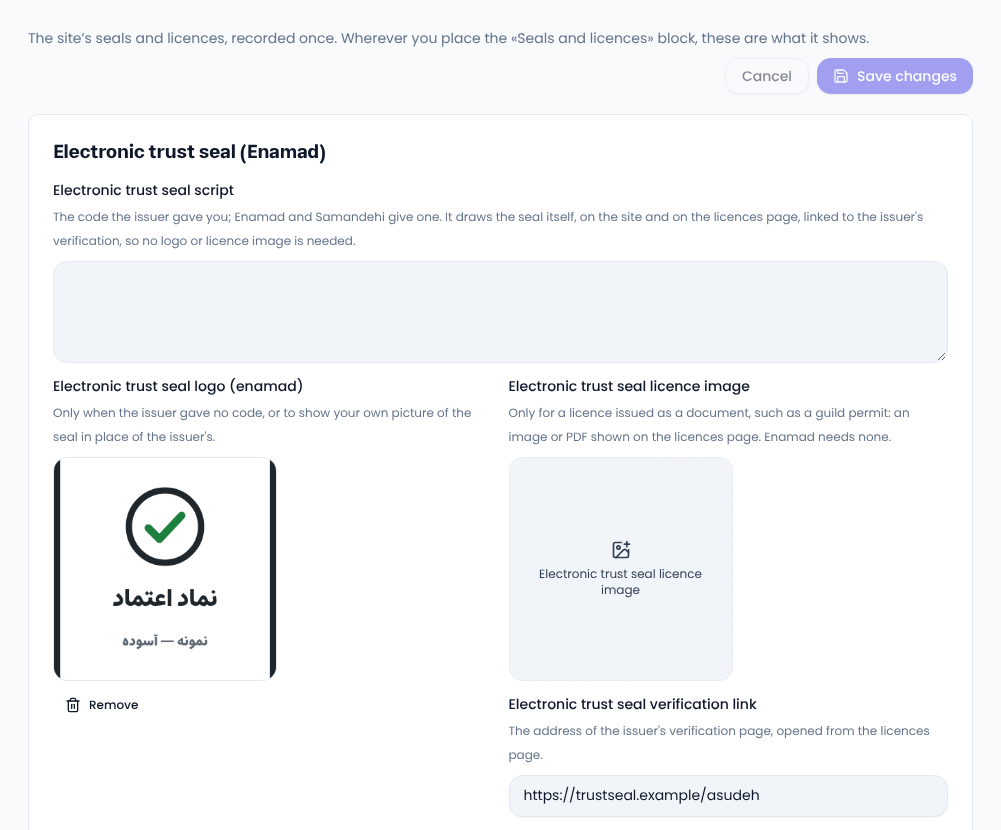
Paste the code exactly as given. It draws the seal and links to the issuer's verification, so no logo or licence image is needed; those boxes are for issuers without code or licences issued as documents.
Where the seal shows
- In the footer, wherever the «Seals and licences» block is placed (most designs have it already; add it with the page builder if not).
- On the site's licences page,
/licenses.
Other licences
Add a business permit or any other licence under «Other licences»: a title, plus whichever of logo, image or PDF and verification link you have. Up to twelve.
FAQ
Does Sima get eNamad for me?
No. It is issued in the owner's name and you apply yourself. If the issuer needs technical details about the site, open a ticket.
I pasted the code but no seal shows
Open the site on the exact domain the seal was issued for; it doesn't show on the temporary Sima address.
Comments
Sign in to leave a comment.
Sign inLoading…