Connect a domain to your site: a DNS record or our nameservers
Your site opens on a temporary Sima address from day one (like kxmq4821.simacms.ir). To connect a domain, save it once and point its DNS at Sima. Checking the connection and issuing the SSL certificate happen on their own.
No domain yet? Buy it from Sima
In your account open «Domains», search the name and press «Buy and pay from the wallet». A domain bought from Sima is put on Sima's nameservers by itself and renewed from the wallet every year; then press «Connect to a site» next to it and pick the site. The steps below are for a domain bought elsewhere. A .ir domain first needs your own IRNIC handle: see Register a .ir domain at IRNIC.
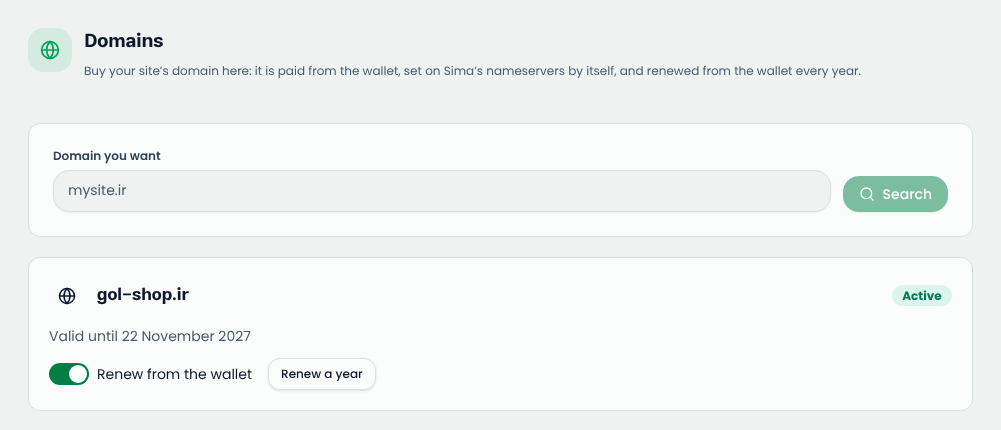
Step 1: save the domain on your account
- In your account, open «My sites» and the site.
- Open the «Domain & DNS» tab and type the domain without http://, for example example.com.
- Press «Save changes», then «Open «Domains» in the site admin».
If you type it with www, the bare domain is stored and www is chosen as the address the browser shows.
Step 2: choose who keeps the DNS
In the site admin, «Settings → Domains» first asks «Who keeps this domain's DNS?». There are two ways:
Recommended: delegate the nameservers to Sima
Choose «Sima (recommended)» and press start. Sima first reads the domain's current records so your mail keeps working; you review the list and save it, then set the nameservers it shows at your registrar. The change can take up to 48 hours.
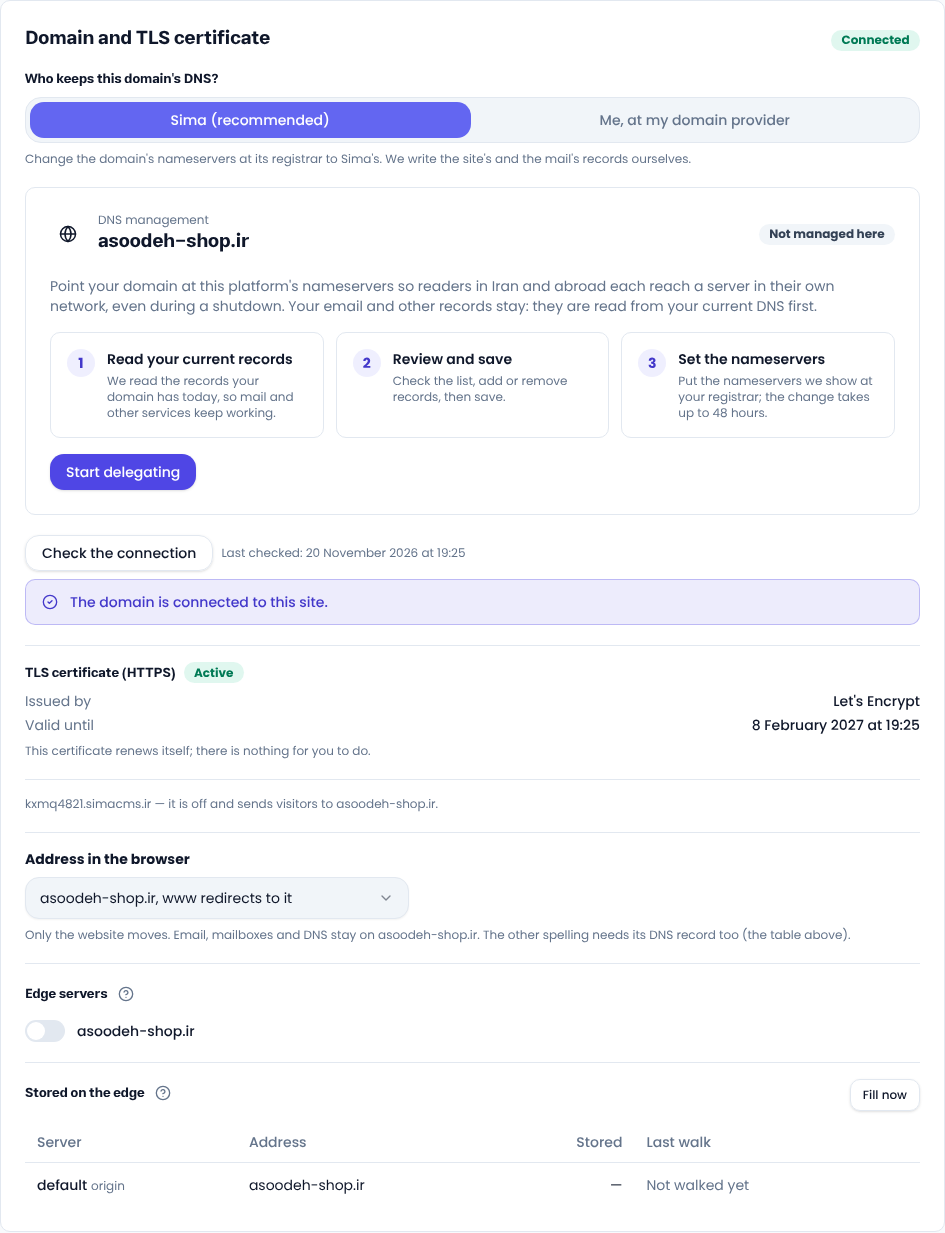
Or keep DNS at your own provider
Choose «Me, at my domain provider». The table shows the records to add: an ANAME (ALIAS, or a flattened CNAME) for the bare domain and a CNAME for www. On Arvan or Cloudflare, press «Download zone file» and import it; web and mail records go in together.
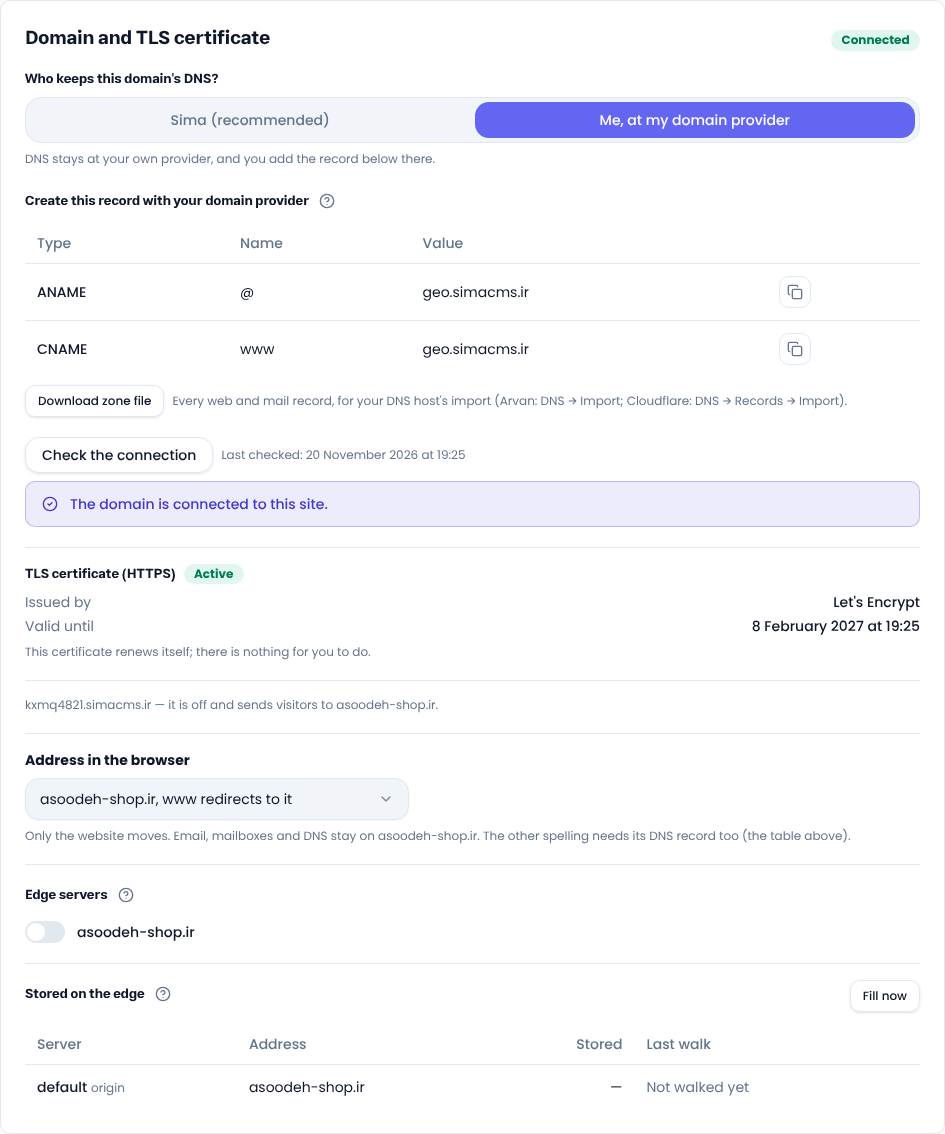
Step 3: check the connection
Wait for DNS to propagate, then press «Check the connection». Sima only says «Connected» when a request to the domain actually reaches this site. If not, the message says where the domain points now. Sima also re-checks on its own.
After it connects
- The SSL certificate is requested in that same check and renews itself (SSL certificate).
- Once the certificate is active, the temporary address sends visitors to your domain, so Google sees one address.
- Choose whether the site opens with or without www (www or no www).
Good to know
- A domain can't be connected during the free trial; buy a plan first.
- If another site already holds the domain, the error names a TXT record; add it to the domain's DNS and save again to prove it is yours.
New to DNS? Cloudflare's What is DNS is a good start.
Comments
Sign in to leave a comment.
Sign inLoading…