Registering a .ir domain at IRNIC: handle, identity check, domain, connect
To open your site on your own name instead of a temporary Sima address, you need a domain. For an Iranian business a .ir domain is usually best: cheaper than .com, paid with an Iranian card, and trusted locally. .ir domains are registered only through IRNIC, directly or via a reseller, always under your own IRNIC handle.
Easiest: buy it from Sima
- Create an IRNIC handle and finish level-2 verification (steps 1 and 2 below).
- At IRNIC, set «Authorized relations» to «myself and resellers», or Sima cannot register the domain in your name.
- In your Sima account open «Domains», search the name, enter your IRNIC handle and press «Buy and pay from the wallet». The yearly price with tax is shown there.
- Then press «Connect to a site» next to the domain.
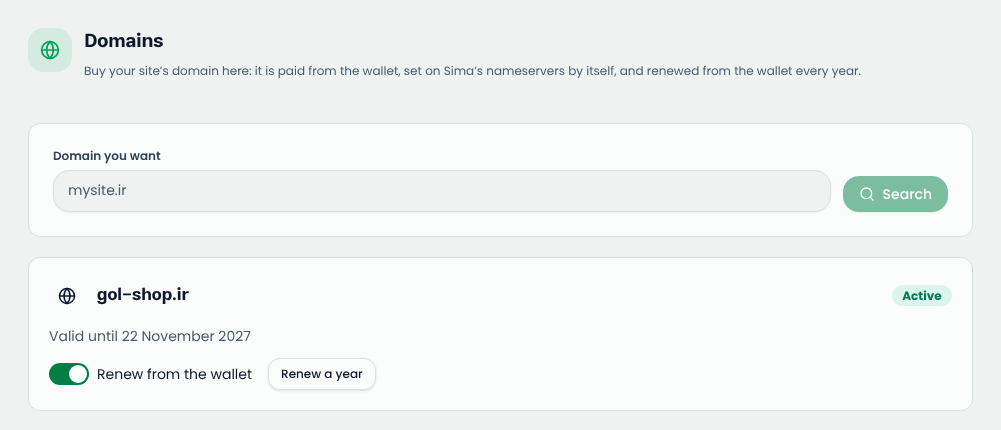
The domain is registered under your own handle, put on Sima's nameservers by itself and renewed from the wallet every year, so you can skip steps 3 and 4. To register directly at IRNIC instead, follow all the steps.
What you need
- Your national code (or the company's registration details).
- A mobile number in your own name.
- An email you will always read: renewal notices go there.
- An Iranian bank card.
Step 1: create an IRNIC handle

- Open nic.ir and press «ثبت نام» (sign up).
- Pick the handle type and continue: a natural person (who may only hold .ir, .ایران and .id.ir), a company or NGO, a government body, or an educational centre.
- Fill in name, address, postal code and phones exactly as on your ID: they decide who owns the domain.
- Confirm your email and mobile with the codes sent to you (level 1).
- Note your handle (like
ab123-irnic); you sign in with it (or your email) and your password.
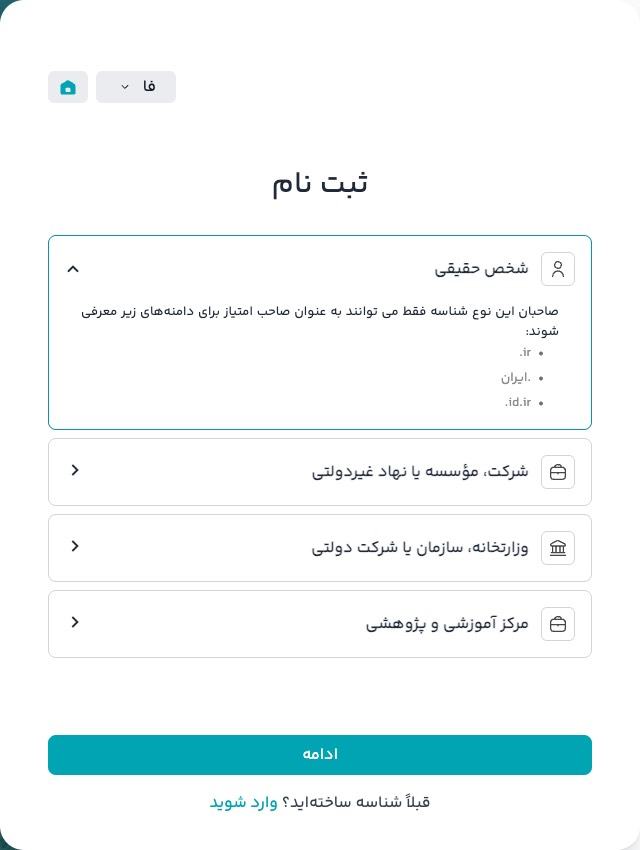
Register the domain under your handle, never your designer's or host's.
Step 2: level-2 verification with HODA
A new handle starts at level 0, reaches level 1 once basic details are filled, and needs level 2 for full use. In the IRNIC panel open «Handle → Upgrade user level», enter your 10-digit national code and continue: you are sent to HODA, the Civil Registry's identity service. Follow its steps and you return to IRNIC at level 2. You can also sign in with «Dolat-e Man». Company handles have no level upgrade; they send documents through «Send documents».
Using a reseller? Set «Handle → Authorized relations» to «myself and resellers». Left on «myself», no reseller can register or renew on your handle.
Step 3: register directly at IRNIC
Skip this and step 4 if you bought the domain from Sima.
- In the IRNIC panel open «Domain → Register domain» and search the name.
- Pick example.ir (best) or a third-level name like example.co.ir (mostly for companies).
- Choose one or five years. It can't be changed afterwards; five is cheaper overall.
- Pay the request from «My requests». It isn't final until paid; a rejected request is refunded to your handle's credit.
What it costs
IRNIC's official fees (November 2026), direct on nic.ir:
| Domain | 1 year | 5 years |
|---|---|---|
| example.ir | 180,000 Toman | 540,000 Toman |
| example.co.ir, example.id.ir… | 135,000 Toman | 405,000 Toman |
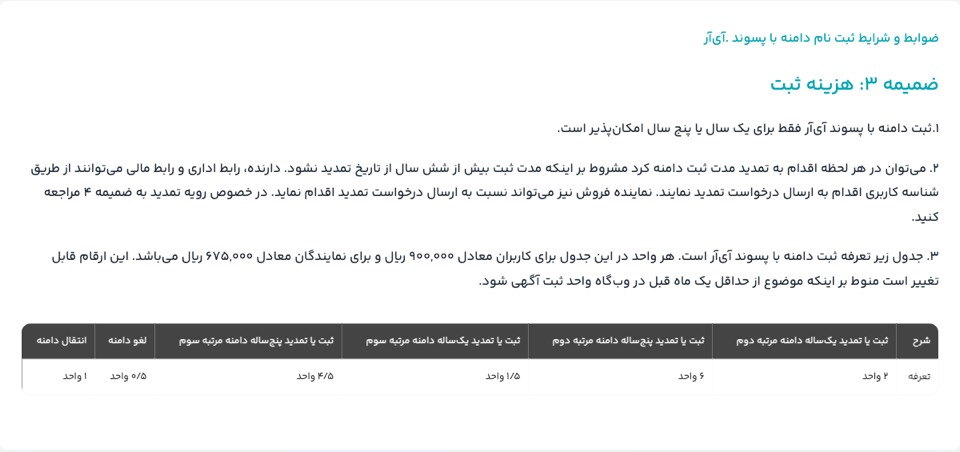
Tax is added at checkout; resellers set their own prices. IRNIC announces changes a month ahead on its fee page.
It is usually active within hours to a day or two; companies and brand-like names may be asked for documents.
Step 4: connect it to Sima
- Save the domain on your site in your Sima account («Domain & DNS»).
- In the site admin, «Settings → Domains», choose «Sima (recommended)» and start delegation; note the nameservers.
- In the IRNIC panel, «My domains» → «DNS settings», enter them as the nameservers and save. Leave the IP fields empty.
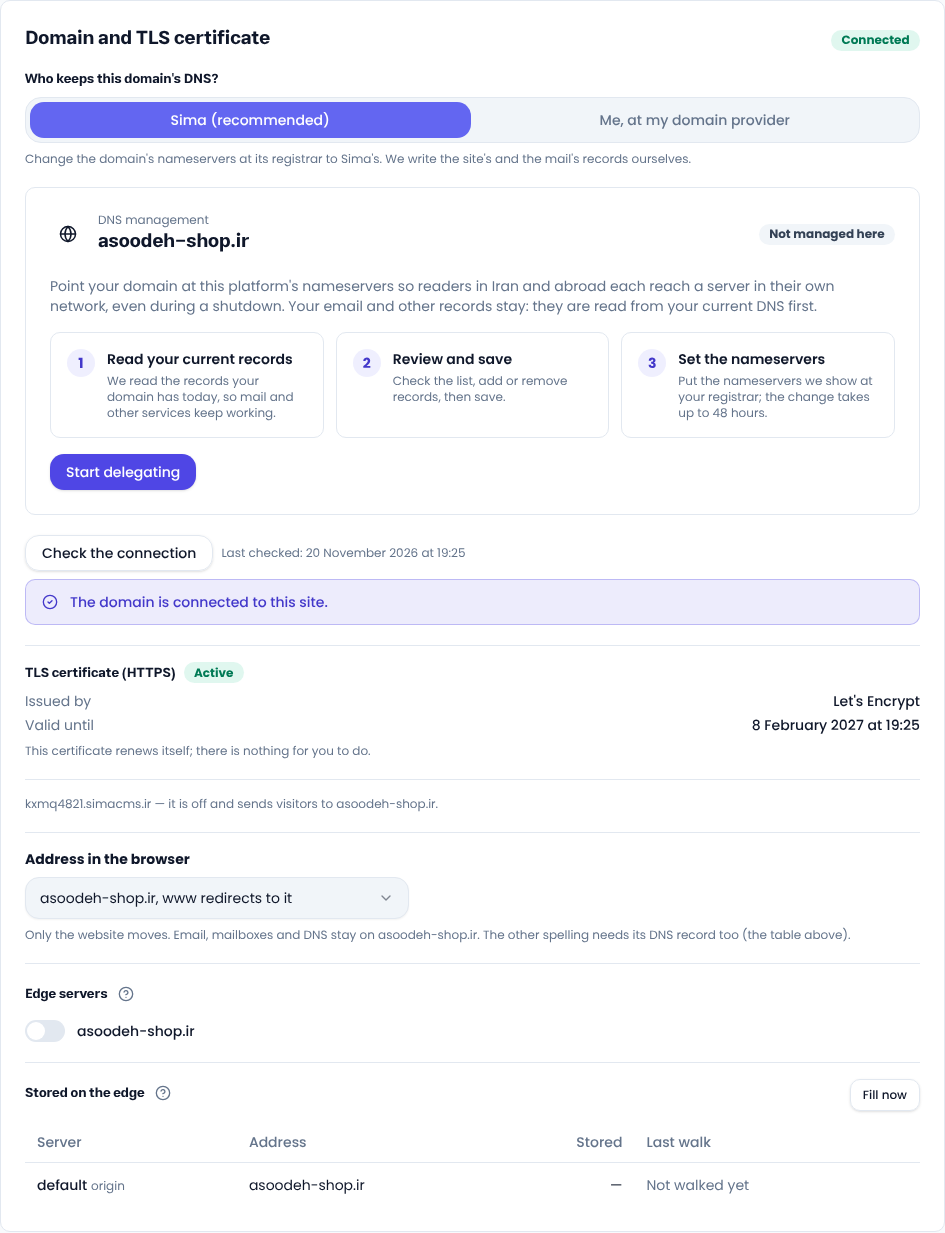
It can take up to 48 hours; then Sima checks the connection and issues SSL on its own. See Connect a domain. A domain can't be connected during the free trial.
Renewal
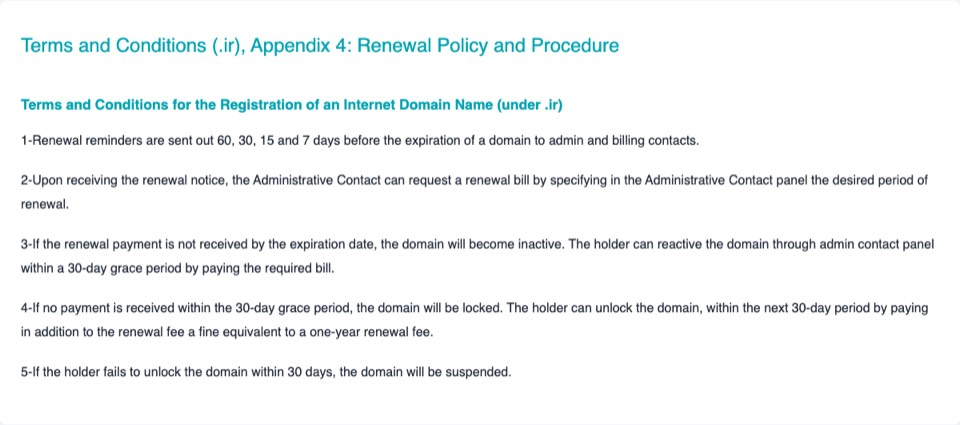
A domain bought from Sima renews from the wallet in its last 30 days; if the wallet is short you are told 30, 7 and 1 days before the end, and auto-renew can be turned off. For a domain you registered at IRNIC yourself: IRNIC emails reminders 60, 30, 15 and 7 days before expiry. Renew from «My domains», one or five years at the registration price, any time as long as the domain is never paid more than six years ahead. An expired domain is disabled for 30 days (renew normally), then locked for 30 more (renewal plus a penalty equal to one year's fee), then suspended. Don't leave it to the last day.
Comments
Sign in to leave a comment.
Sign inLoading…