Wallet, invoices and site renewal on Sima
Your site on Sima is paid monthly or for the period you chose, and each payment has an invoice. All of these payments pass through your account's wallet: money you pay at a bank gateway arrives in the wallet first, and the invoice is paid from it. This guide covers how site renewal works and where to find your invoices and wallet. These pages are in your account on simacms.ir, not in your site's panel.
1. Invoices
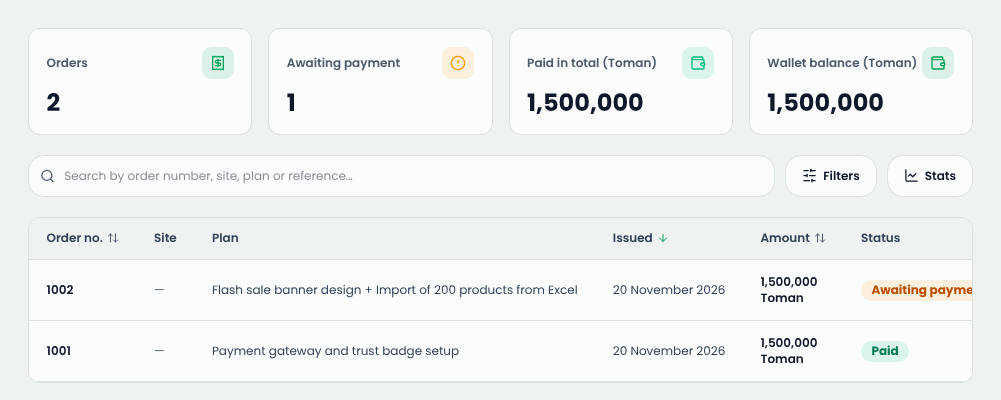
In your account menu, open Subscription & payment. At the top you see the number of invoices, how many await payment, the total paid and your wallet balance. The table lists each invoice with its site, plan or description, issue date, amount and status.
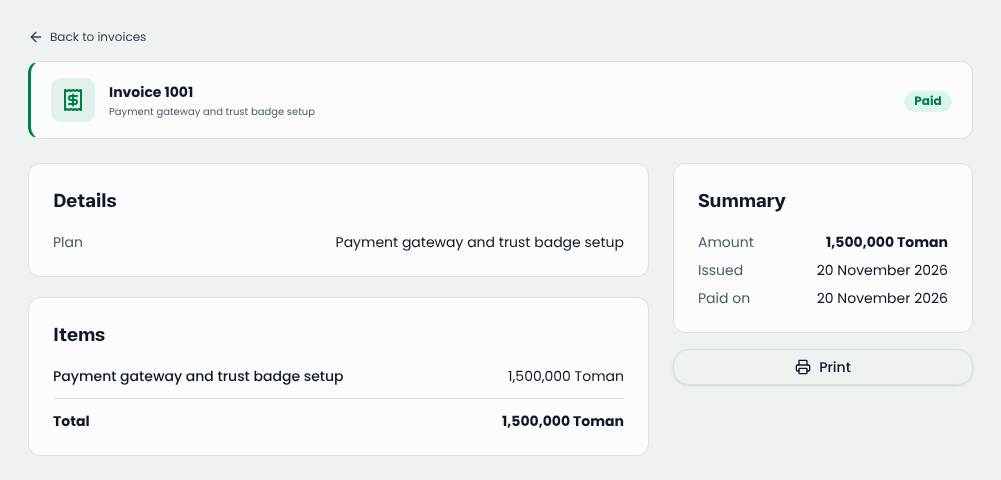
Click an invoice to see its items, its payment deadline and when it was paid. Print gives you a printed copy or a PDF.
2. Paying an invoice
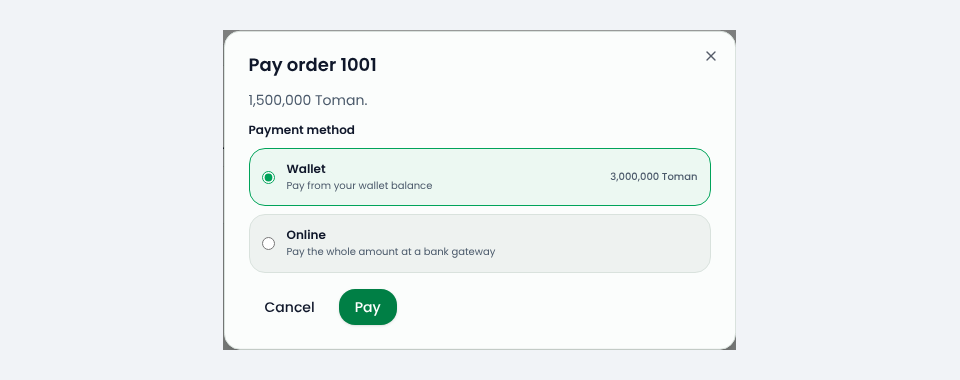
On an invoice awaiting payment, press Pay and pick a method:
- Wallet: if your balance covers it, it is paid at once.
- Online: you go to the bank's gateway, and once paid the amount arrives in your wallet and the invoice is paid from it.
If a bank payment went through but the invoice did not show as paid (say the connection dropped halfway), the money is not lost: it stays in your wallet. Just pay the invoice from the wallet.
3. The wallet
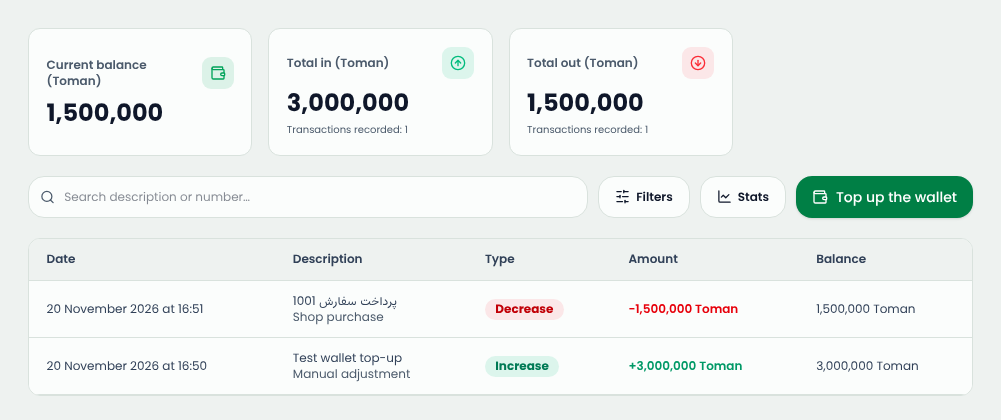
Under Shopping → Wallet you see the current balance, the totals in and out, and every transaction with its description and the balance after it. Top up the wallet lets you add balance ahead of time, so renewals are paid without a trip to the gateway.
Money refunded for an order, and the value of a gift card, arrive in this wallet too.
4. Site renewal
Before each site's period ends, the next period's renewal order is issued on its own, due on the day the period ends. If the site's design is billed monthly, it is on the same invoice. There is no automatic bank debit, so either you pay the renewal invoice yourself or you let the wallet pay it automatically.
To make it automatic, open the site's page under My sites and tick Pay the renewal from my wallet on the day it falls due. If the wallet holds enough on the due day, the renewal is paid with nothing for you to do and the site's period moves on.
5. If a renewal is not paid
If the period ends with the renewal invoice unpaid, the site is suspended until it is paid and that invoice is cancelled. The site's data is not deleted. Renew it again from the site's page under My sites and pay; the new period starts on the day you pay.
Common questions
There is an invoice I did not order. Where did it come from?
If you agreed with Sima's support on work outside your plan, such as setup or design, a staff member issues its invoice for you. Its description is on the invoice itself.
Is this the same wallet my site's customers have?
No. Each site has a wallet of its own. This wallet is only for your account on Sima.
Comments
Sign in to leave a comment.
Sign inLoading…