Sample data: bring a demo's content and look into your site
20 Nov 20262 min read4 views
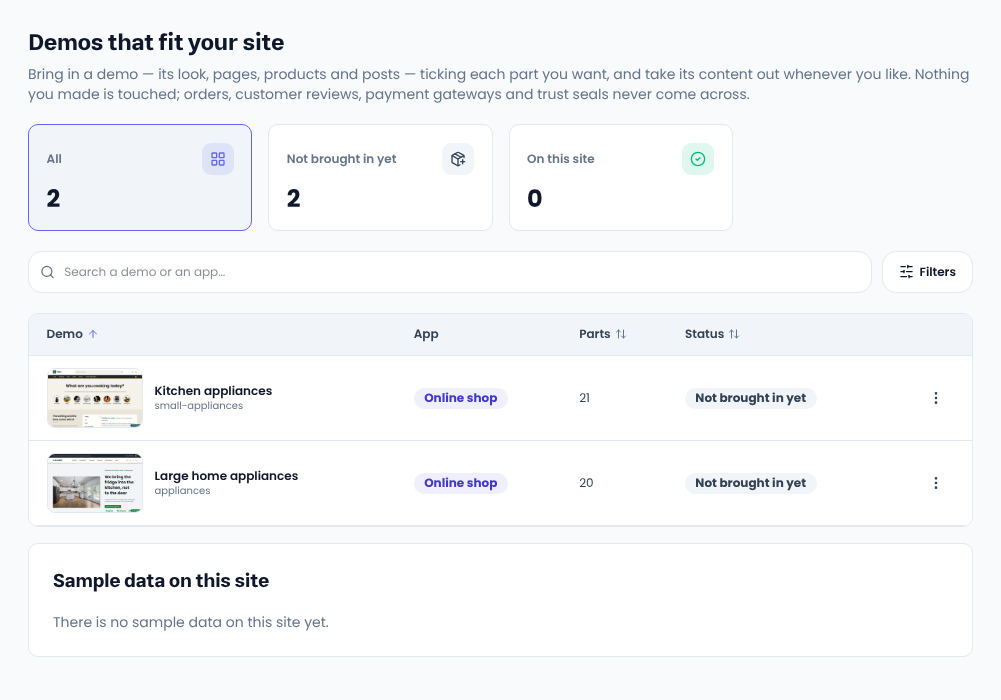
A new site is empty. Sample data brings in the content of the demo your site was built from: products, posts, pages, menus and sliders. Replace it with your own, or take it all back out whenever you like.
Bring in sample data
- In the site admin open «Settings → Sample data». It lists the demos that fit your site; «Preview» opens one first.
- Press «Bring in sample data» on a demo's row.
- Tick the parts you want and confirm.
Parts
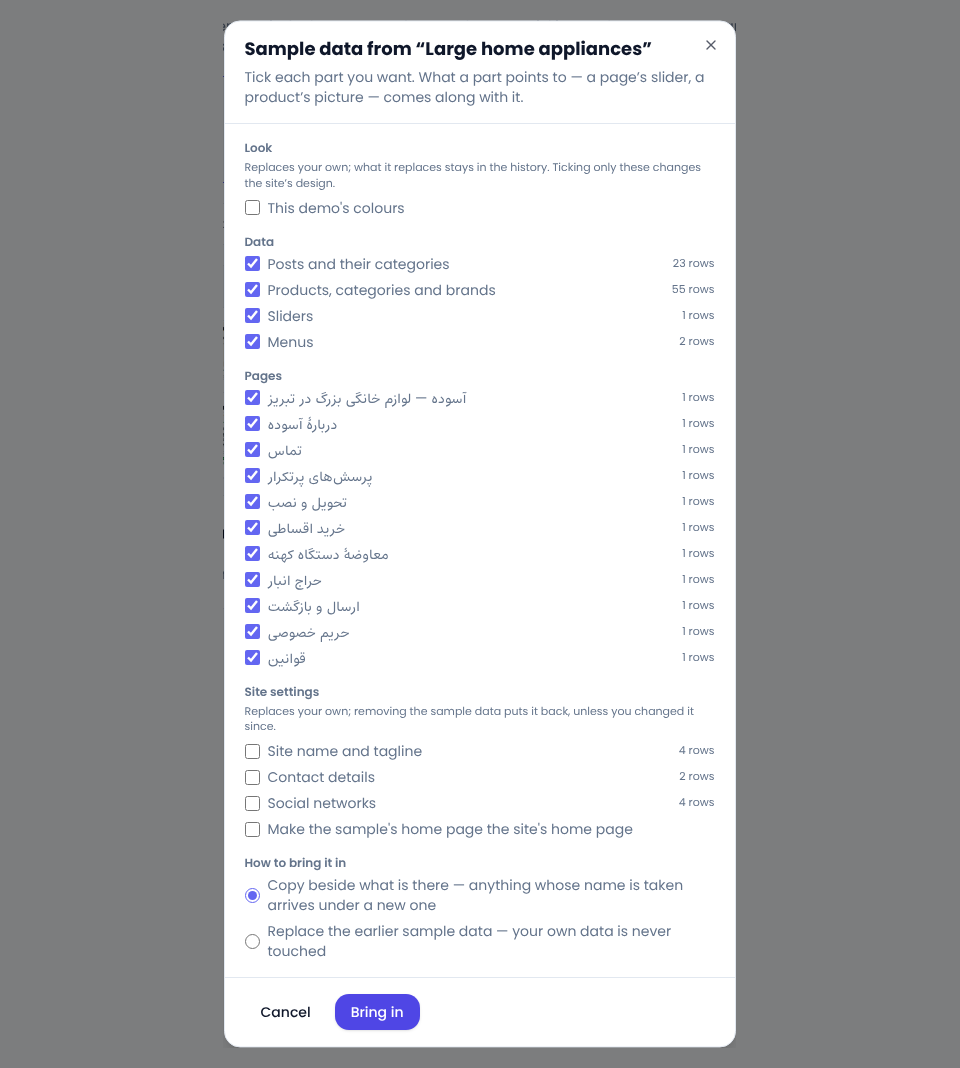
- Data: posts with categories, products with categories and brands, sliders, menus. Ticked to start.
- Pages: each page on its own; one you have edited is marked and starts unticked.
- Look: template, header and footer, the demo's colours. They replace yours, so they start unticked; the old version stays in the history.
- Site settings: name and tagline, logo, contact details, social links, each on its own. The demo's front page becomes yours only if you tick it.
Whatever a part depends on, like a product's category or pictures, comes along.
Copy or replace?
- Copy adds everything beside what is there, renaming anything whose name is taken.
- Replace first removes sample data you brought in earlier. Your own data is never touched.
Removing sample data
The same page lists every import, when and by whom. Remove it part by part; a row you edited since is named and goes only if you tick it. Settings it changed go back, unless you changed them since. The look stays.
Never brought in
Users, orders and anything that moves money, customer reviews, payment and tax settings, and trust seals.
Comments
Sign in to leave a comment.
Sign inLoading…