Product categories, brands and tags
Product categories are the first thing a shopper reaches for when looking for an item. Sima has three tools for it: categories, brands and tags, all under Products in the panel.
Product categories and subcategories
Products → Product categories lists the categories with how many products and subcategories each has. The Tree view shows categories with their subcategories, and the handle beside each row lets you reorder them or move one under another.
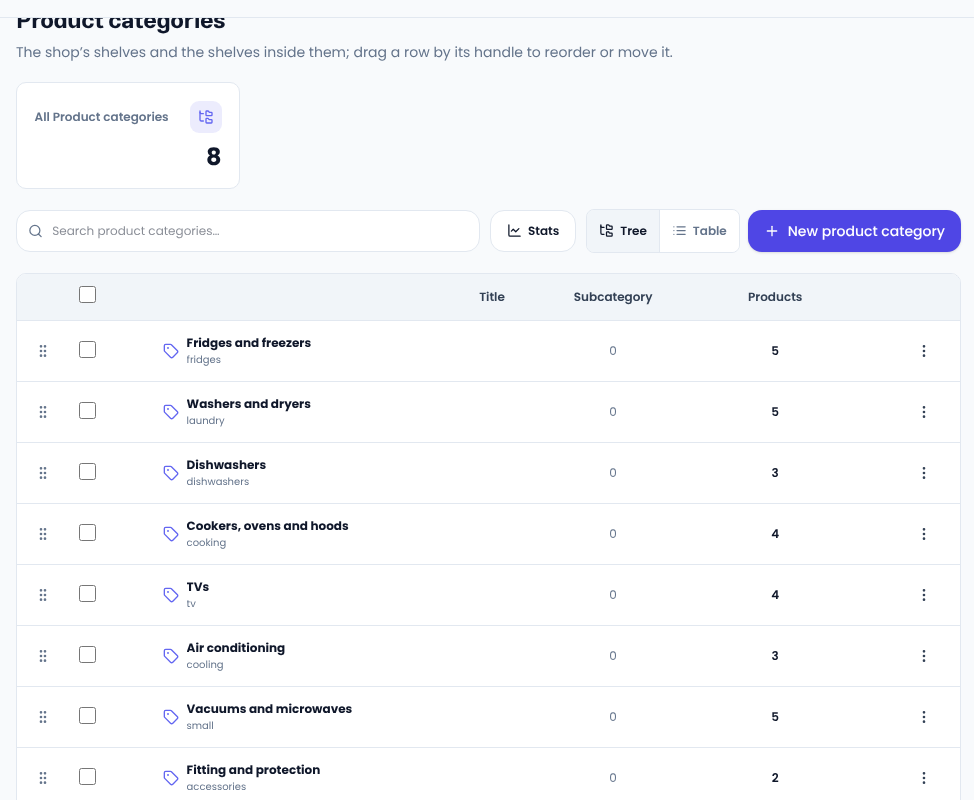
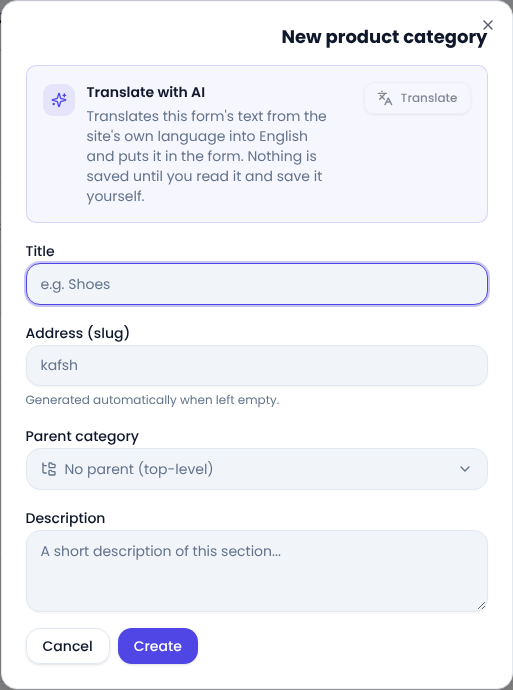
For a new category press New product category, write the title and, for a subcategory, choose the Parent category. Leave the slug empty and it is built for you. Add a short description too.
How many categories?
- Arrange them the way a shopper thinks, not the way the warehouse does. “Fridges and freezers” is found faster than “cold goods”.
- Keep them shallow; two levels, category and subcategory, are usually enough.
- A product can be in several categories. Pick them in the side column of the product page.
Brands
Products → Brands works like categories. Each product has one brand, and shoppers can narrow the list to a brand. If you sell several makers, a brand gets someone looking for one of them there sooner.
Tags
Tags are for groups that are not categories, such as “Best seller”, “Gift” or “Autumn sale”. A product can carry several tags, and you remove a tag when you no longer need it without touching your categories.
Showing them on your pages
A Products block in the page editor can show a single category, brand or tag, for example a “Best sellers” row on the home page. A delivery method can also be limited to some categories (see “Delivery methods and shipping costs”).
For naming categories with search in mind, Google's guide to ecommerce site structure is worth reading.
Comments
Sign in to leave a comment.
Sign inLoading…