Managing your shop's orders: from payment to delivery
Every purchase in your shop creates an order. To manage orders is to follow each one from payment until it reaches the buyer. In Sima all of it happens from one list and one order page.
The order list
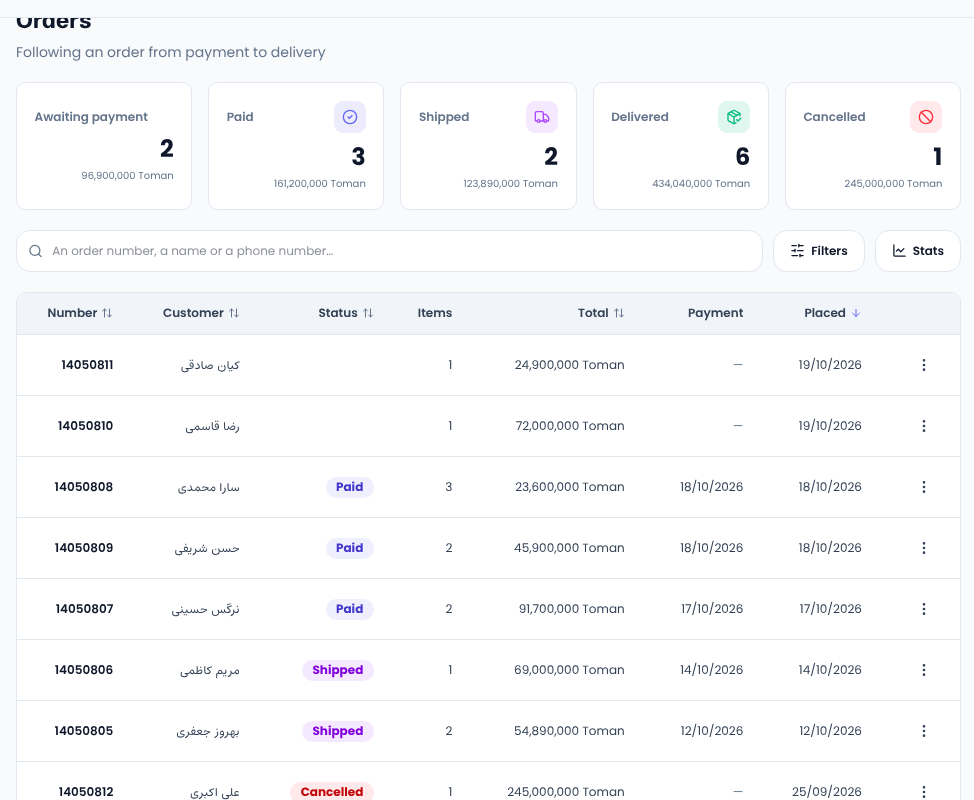
Open Sales → Orders. At the top are the counts and totals of orders awaiting payment, paid, shipped, delivered and cancelled. Search finds an order by its number or by the buyer's name or phone, and Filters narrows the list to one status.
The order page
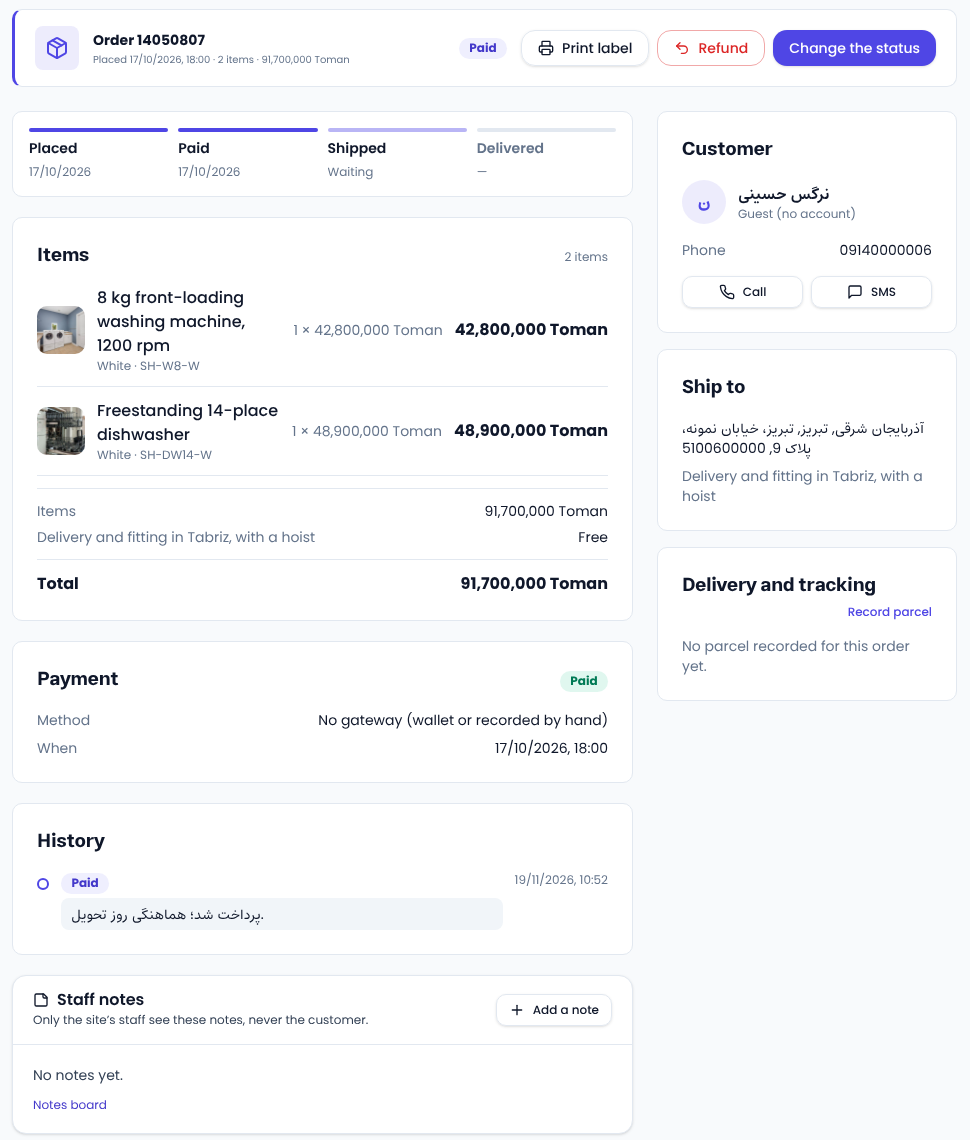
Open an order to see its page. Across the top is its progress: placed, paid, shipped and delivered. Below are the items, the total, how it was paid and the order's history, and beside them the buyer, the delivery address and the parcel.
Changing an order's status
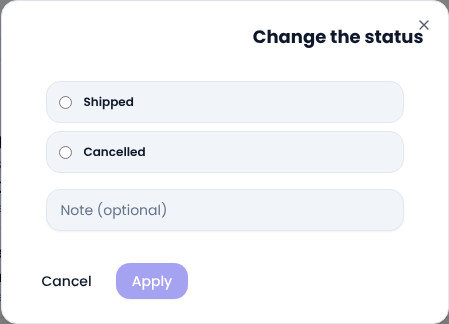
Change the status offers only the statuses allowed from the current one; a paid order, for example, can move to shipped or cancelled. You can add a short note, which goes into the order's history.
- Nobody marks an order paid by hand; that status only comes from a real payment.
- Cancelling an order returns its items to stock.
- An order paid on delivery becomes paid when it is marked delivered.
Tracking number and parcel label
In the Delivery and tracking card, Record parcel takes the carrier and the tracking number. The buyer sees both in their account, with a link to the carrier's tracking page where it has one. Recording a parcel does not change the status; if you typed a number wrong, correct it there. Print label prints the address label for the parcel.
Staff notes
At the bottom, Add a note leaves a message for your colleagues, such as “customer wants an evening delivery”. Only the site's staff see these notes, never the buyer.
Common questions
What does “awaiting payment” mean? The buyer placed the order but has not paid yet. If a payment fails, the order stays and they can pay again.
How do I give money back? See “Refunds to the buyer's wallet”.
For good practice on order confirmation and tracking, see Google's notes on shipping information.
Comments
Sign in to leave a comment.
Sign inLoading…