Writing blog posts, scheduling and comments
A blog brings visitors from Google: every good blog post answers a question your customers search for. Writing a post in Sima is one form, and scheduling it is one choice in that form.
The post list
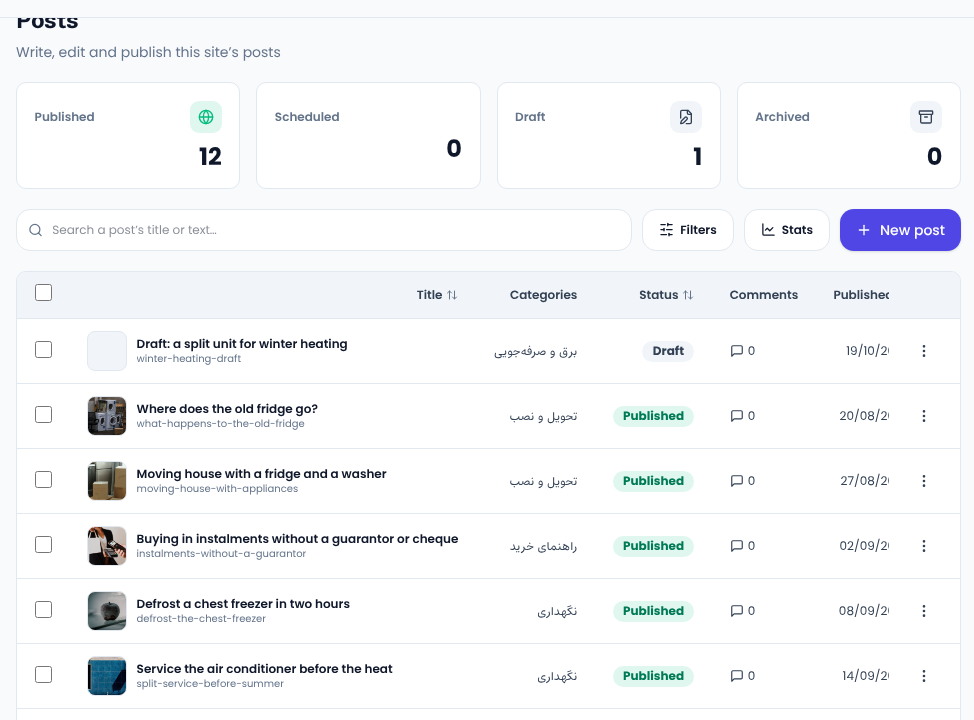
Content → Posts lists every post with its categories, status, comment count and publication date. The cards at the top count published, scheduled, draft and archived posts.
Writing a new post
Press New post:
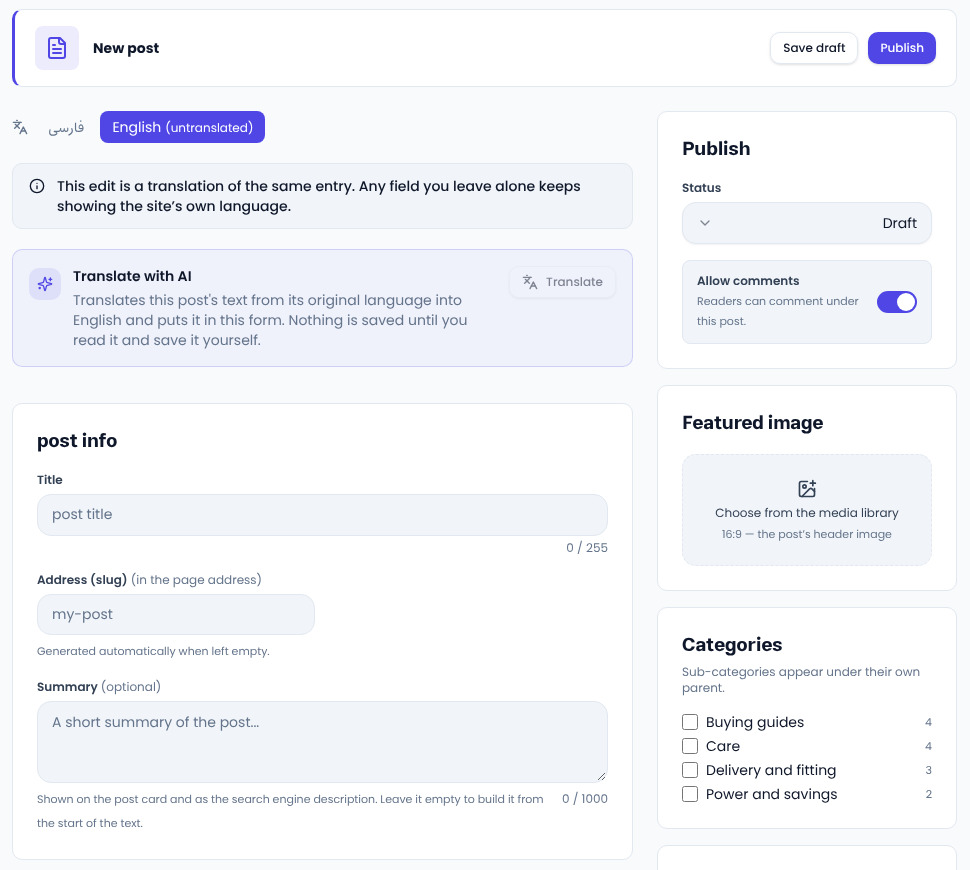
- Write the Title as the reader's own question, such as “Side-by-side, French door or combi?”.
- The Summary shows on the post card and in search results. Left empty, it is built from the start of the text.
- The Featured image, at 16:9, sits at the top of the post and is used when it is shared.
- Tick Categories and tags in the side column; blog categories are made under Content → Categories.
- At the bottom, write the focus keyword and the SEO panel tells you what the post is missing.
Scheduling
In the Publish card, set the status to scheduled and pick the day and time. The post publishes itself on that minute. A moment in the past publishes it at once. This way you can write several posts in one sitting and release a few a week.
Comments
Only signed-in readers can comment. A new comment is visible only to its author until you approve it. Approve or delete comments under Comments and support. If a post needs no comments, switch Allow comments off in its form.
Common questions
Can a post go to Telegram too? If you have channel publishing, every post that is published goes to the connected channel by itself.
How many posts a week? Steadiness matters more than volume; two or three good posts a week beat ten thin ones.
For posts Google likes, see Google's guide to helpful content.
Comments
Sign in to leave a comment.
Sign inLoading…